Understanding Prompt Terms #1: Camera Angles & Points of View (Basic View Tags)

✨ Overview
When starting with prompts, one of the biggest challenges is understanding what different terms actually do.
Many tags seem simple, but without clarity, it becomes guesswork instead of intentional creation.
This guide series aims to make prompt language easier to understand — especially for those who want better control over their results.
Each part will focus on a specific category, such as:
- Camera angles & perspectives
- Lighting
- Composition
- Poses & expressions
- Materials and styles
This first part covers basic camera angles and points of view, which strongly influence how a subject is perceived.
📸 What Are Camera Angles & Points of View?
These terms define how the viewer sees the subject and how the scene is framed.
They control:
- Camera position
- Viewing direction
- Perspective and overall feeling
📌 Note: In the examples below, the base prompt remains the same. Only the angle/view tags are changed.
🎯 Core Basic View Tags
🎯 Straight-On
Prompt tag: straight-on, front view
The subject is viewed directly from the front.
- Neutral and balanced composition
- Clear and easy to read
- Common default perspective
Loading media image #1118...
↔️ From Side
Prompt tag: from side, side view
The subject is shown from the side.
- Highlights silhouette and shape
- More dynamic than frontal view
- Good for profile shots
Loading media image #1119...
🔙 From Behind
Prompt tag: from behind, back view
The subject is viewed from the back.
- Adds mystery or cinematic feeling
- Focuses less on identity, more on scene
- Often used for storytelling
Loading media image #1120...
⬆️ From Above
Prompt tag: from above, top view
The camera looks down at the subject.
- Makes subject feel smaller
- Adds a sense of elevation
- Changes spatial perception
Loading media image #1121...
⬇️ From Below
Prompt tag: from below, bottom view
The camera looks up at the subject.
- Makes subject feel stronger or taller
- Adds dramatic presence
- Common in heroic shots
Loading media image #1122...
🏔️ High Up
Prompt tag: high up view, top view
The viewpoint is placed far above the scene.
- Emphasizes scale and distance
- Makes subject appear very small
- Can imply height (jumping, flying, etc.)
Loading media image #1123...
⚠️ Dutch Angle
Prompt tag: dutch angle view
The frame is tilted.
- Creates tension or unease
- Adds motion and energy
- Often used in dynamic or chaotic scenes
Loading media image #1124...
🔄 Sideways
Prompt tag: sideways view, sideways
The entire image is rotated 90 degrees.
- Unusual visual orientation
- Can feel stylized or experimental
Loading media image #1125...
🔃 Upside-Down
Prompt tag: upside-down view, upside-down
The image is fully inverted.
- Creates a disorienting effect
- Strong stylistic choice
Loading media image #1126...
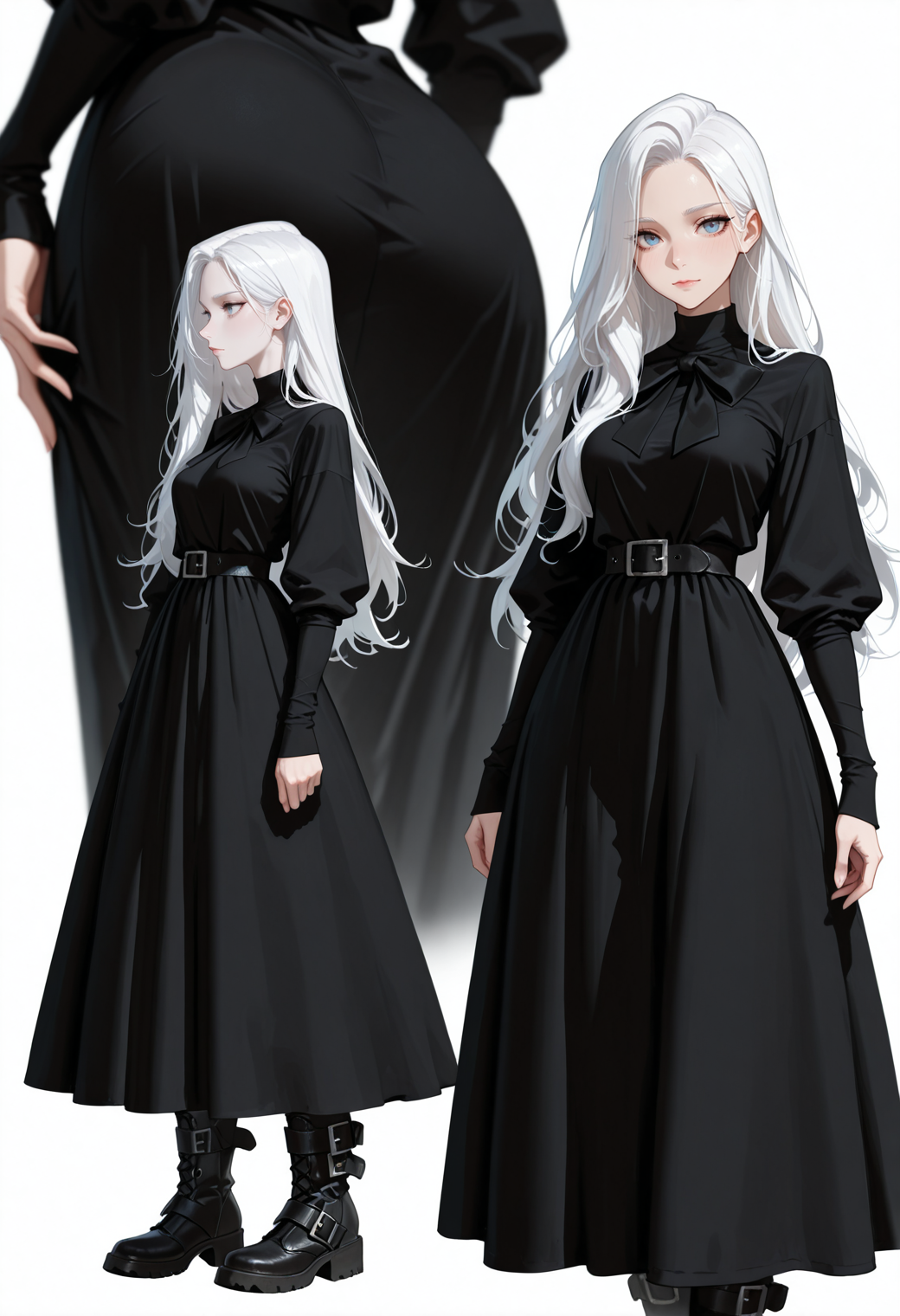
🔀 Multiple Views
Prompt tag: multiple view, multiple views
Shows the same subject from different angles in one image.
- Useful for showcasing design or details
- Often used in character sheets or compositions
Loading media image #1127...
🧠 Final Thoughts
Basic view tags are the foundation of visual control.
They determine:
- How a subject is perceived
- How dynamic or static an image feels
- How the viewer connects with the scene
Mastering these makes every other prompt decision more effective.
💬 Feel free to experiment and combine these tags — that’s where the real creative control begins.
Used prompt (change /Camera Angles & Points of View prompt/ with corresponding camera view):
masterpiece, best quality, amazing quality, very aesthetic, absurdres, 4k, high resolution, ultra-detailed, /Camera Angles & Points of View prompt/ long hair, black dress, long dress, belt boots, ribbon, white hair, black bow, blurry foreground, white background,
Checkpoint used: IlustMix v11.1 Loras used: Neon V2